Camera sticker Retro TV sticker OMG comic burst sticker Sparkles sticker
100% free xoxo

no app · no sign-up

Free Online Photobooth

Retro strips, vintage filters, and frames you make yourself.

Roll Booth is a free online photo booth that turns your phone or laptop camera into a retro photo-strip booth — pick a layout, add vintage filters and frames, and download instantly with no app, no signup, and photos processed on your device.


Wait, how does it work?
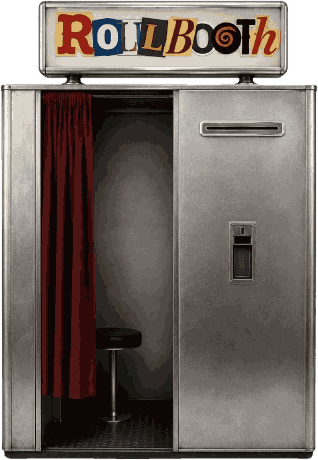
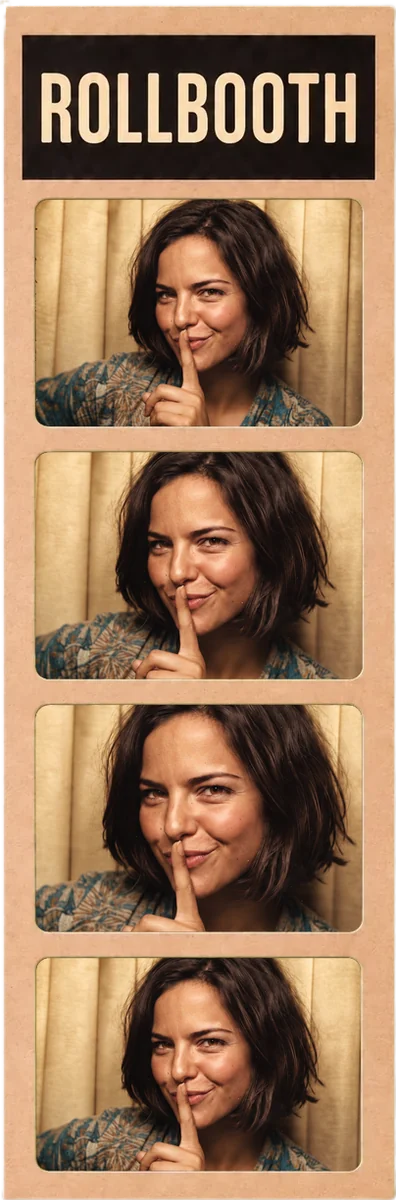
The Roll Booth photo booth machine, printing a photo strip
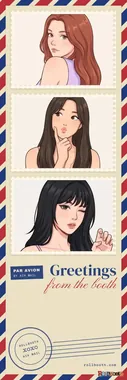
Photo strip made with Roll Booth and shared by a user
📷 Open your camera
→
✨ Apply filters & stickers
→
💾 Download your strip

Pick how you want to shoot

📷 Filter Camevery filter, live 📸 Cameraone-shot prints 🎞 Photostripsstrips & grids 🖼 Framesdesigned frames ✂️ Build your ownmake a frame

Developing your memories

1
A single shot taken in the booth

Strike a pose

Allow camera access. Grab your besties, fix your hair, and get ready for the countdown flash.

2
A Vintage Cuts strip in black and white film

Pick a vibe

Choose from classic retro, moody B&W, or soft vintage film overlays. Watch it "develop" instantly.

3
A finished Kraft Booth photo strip

Keep forever

Instantly download your high-res photo strip. Print it out, stick it in your journal, or post it.

The Best Free Online Photo Booth for Aesthetic Edits

Welcome to Roll Booth (formerly PolaroidBooth.com) — the free online photo booth and photobooth website that turns your webcam shots and uploads into printable memories. Everything runs right in your browser: no app, no download, and no sign-up. Whether you want a classic retro frame, a Polaroid-style polaroid booth shot, a trending photostrip, a vintage photobooth look, or a cute scrapbook layout, you can make it here in seconds on iPhone, Android, or desktop.

How to Use the Photo Booth

  1. Step into the booth — No app and no account; it opens in your browser.
  2. Pick your look — A photostrip like Four Cuts or Vintage Cuts, a single shot, or a frame. Not sure? Hold the dial and let the booth roll one for you.
  3. Snap or Upload — Take live photos with a countdown, or tap a box to add one from your gallery.
  4. Apply Filters — Add vintage vibes with Film, Dark Room and Golden Hour.
  5. Decorate — Add stickers, text and dot art.
  6. Download — Save a high-res PNG, or a GIF or video of it printing.

Free Photo Tools You Can Use Right Now

Roll Booth is a full suite of free, browser-based photo tools — no login, no install:

  • Photobooth Online — use your phone or laptop camera and get retro photo strips instantly.
  • Gen Z Photobooth — blended strips, Y2K cams, Eye Cuts and K-pop 4-cuts.
  • Vintage Photobooth — retro film grain, light leaks, and 90s/Y2K filters.
  • Photostrip Maker — turn 3–4 photos into a classic photo booth strip.
  • Polaroid Booth — upload or snap a photo and get a realistic Polaroid-style card in a plain or patterned frame.
  • Polaroid Frame Maker — shoot a single photo through the booth camera in a classic white instant-photo frame.
  • Photo Grid Maker — build clean collage grids for Instagram.
  • FLAMES Calculator — make a shareable love-ticket with your crush's name.

Why Choose Roll Booth?

We're different from other tools. All processing happens privately in your browser — your photos are never uploaded to a server. Download high-res images ready for Instagram Stories, wall art, or scrapbooking. As a free retro photo maker and photo booth website, it works on every device with no install required.

Frequently Asked Questions

Is the online photo booth free?

Yes. Roll Booth is 100% free with no account, no signup, and no download. Open the site and start taking photos instantly.

Do I need to download an app?

No. It's a web-based photobooth that runs in any browser on iPhone, Android, iPad, and desktop — nothing to install.

How do I make a retro photo or photo strip online?

Open the booth, pick a look (a photostrip, a single shot or a frame), snap or upload your photos, add a vintage filter, then download your high-res result.

Can I make Polaroid-style photos with the booth?

Yes. Roll Booth includes a free online Polaroid booth that adds the classic white Polaroid-style border to any photo. No real Polaroid camera is needed — just upload or snap a picture and download it instantly.

Are my photos private?

Yes. Everything is processed locally in your browser. Your photos are never stored on our servers.

Can I use Roll Booth on my phone?

Absolutely. The photobooth works on all mobile devices and uses your phone's front or back camera directly.
From the Blog

Comparisons

The 5 Best Online Photo Booth Websites, Compared

Roll Booth, Picapica, PhotoBooth-IO and more on looks, layouts, privacy and watermarks: an honest side-by-side.

Guides

How to Use a Free Online Photo Booth

Make a photo strip in your browser, step by step: pick a layout, shoot, add a filter and download. No app, no sign-up.

Trends

K-pop Photobooth Online: 4-Cut Strips on Your Webcam

Life4Cuts-style four-cut strips and photocards at home, with the poses, frames and filters that make them look right.

How-to

How to Make an Aesthetic Photo Strip Online

The layouts, filters and little choices behind photo strips that look good on your feed, free and without an app.

Guides

How to Use a Photo Booth on iPhone, No App

Camera permissions, the mirrored selfie, where Safari saves your strips, and four settings to change before an event.

Events

Photo Booth Ideas for Any Event

Weddings, birthdays, offices and graduations: free setup ideas, props and poses that make guests actually use the booth.

View All Posts →