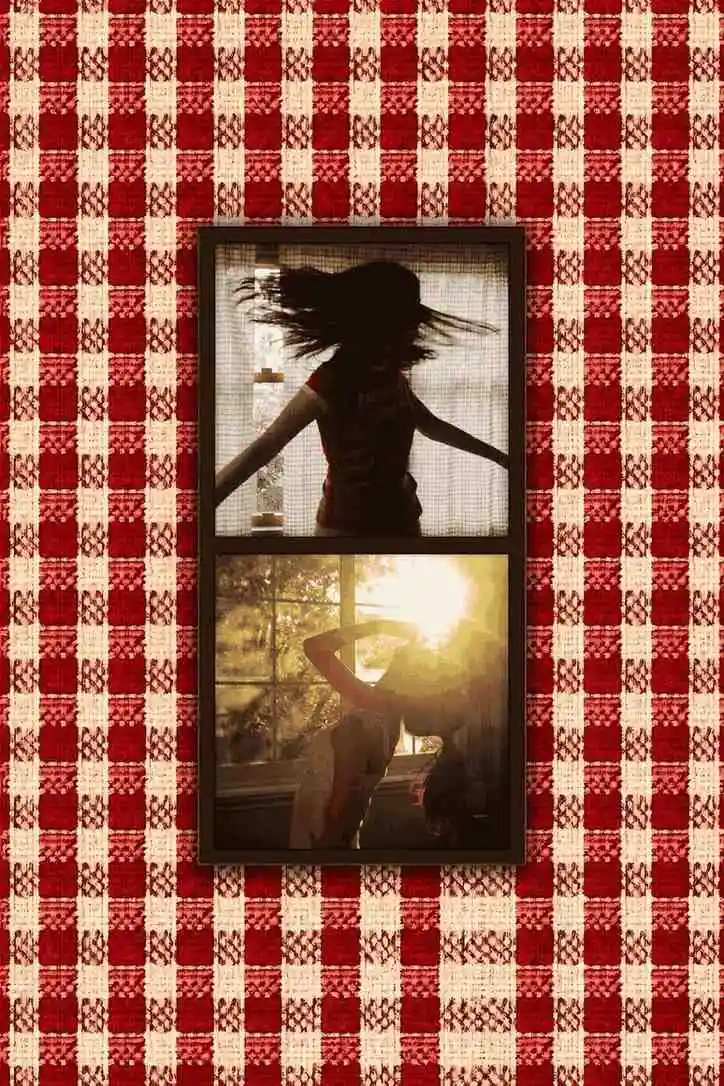
Why a laptop photo booth works at Christmas
Holiday parties already have everything a photo booth needs: people dressed up (or dressed down on purpose), a tree full of lights, and a room of friends who have not seen each other in a while. What they usually lack is a reason for anyone to take a photo that is not a blurry phone selfie. A booth gives people that reason, and a laptop booth costs nothing to set up.
Roll Booth runs in the browser, so there is nothing to download and nobody has to make an account. The button on this page opens it with a Christmas look already chosen — you just need to point the camera at the party.
How to set it up at your party
- Use the tree as the backdrop. Put the booth a few feet in front of the Christmas tree so its lights fall softly out of focus behind people. If there is no tree, a wall of string lights or a red sheet works.
- Open the booth on a laptop. Press Open the Christmas booth on this page, then click Allow when the browser asks for the camera.
- Mirror it to the TV. HDMI cable from laptop to TV, then duplicate the display (Win + P on Windows; System Settings → Displays → Mirror on a Mac). A Chromecast, Google TV or Apple TV works without a cable. Guests seeing themselves on the big screen is what gets the line going.
- Raise the camera. Put the laptop on a stack of books or a box wrapped in paper so the webcam sits at face height.
- Light the faces, not just the tree. Tree lights are behind people, which leaves faces dark. Put one lamp next to the laptop, pointing at the guests. The Flash filter will do the rest.
- Add a props basket. Santa hats, reindeer antlers, tinsel scarves and a couple of candy canes. Keep it to a small basket; too many props and people spend the whole countdown choosing.
- Tape up the instructions. Tap the shutter, then pose — there is a countdown before each shot. One tap takes the whole strip.
Ugly sweater photo booth ideas
The sweater lineup
Everyone in ugly sweaters stands shoulder to shoulder, arms crossed, deadly serious. Take the second shot with everyone pointing at the worst sweater in the group. The contrast between the two photos is the joke.
The contest entry
If you are running an ugly sweater contest, make the booth the official entry point. Every contestant takes one strip, you drop them all into a shared album, and the group votes from their phones. It also means you end the night with a record of every sweater.
The family card, the lazy way
Christmas cards are a lot of effort. A two-shot strip — one nice, one chaotic — is honestly a better card than the one where everyone is trying to look perfect. Print it, or just send it in the family group chat.
Couples by the tree
Red Velvet Duo with the warm Sun Kissed filter is made for this: two photos, one sweet and one silly, in the glow of the tree lights.
The office holiday party
At a work party, a booth gives people something to do that is not standing around with a drink. Keep it simple: one laptop, one lamp, one props basket, and a sign that says strips are going into the team's shared folder. People who never post photos will still take one.
Picking your Christmas look
The preset is Red Gingham Duo with Flash because it reads as a holiday party at a glance: red and white, bright and a little overexposed. You can change either one before you shoot.
- Flash — hard contrast and a direct-flash look. Best for ugly sweaters and big groups.
- Sun Kissed — warm and golden. Best for a candlelit dinner or a family by the fire.
- Soft Matte — low contrast and faded, like a photo from the back of an old album.
- Noir — black and white with a vignette, for a classy Christmas Eve party.
For the full set, see every photo booth filter explained.
Getting the photos to everyone
Each strip downloads as a PNG to the laptop. Keep a shared Google Photos or iCloud album open and drop strips in as the night goes on, then send the album link to everyone before they leave. Nothing is uploaded to Roll Booth, so the photos only go where you send them.
To print, use 4×6 photo paper on a home printer. A printed strip on the fridge is the kind of decoration that stays up until February. Every download has a small rollbooth.com mark in the corner.
Family that can't make it home
For relatives in another state or another country, the booth's Group booth mode puts up to four people from different places into one strip. Start it from the layout chooser (under Shoot together, from anywhere), send them the link, and everyone poses on the same countdown. Grandma gets to be in the Christmas photo after all.
Frequently Asked Questions
Is there a free Christmas photo booth online?
Yes. Roll Booth is a free online photo booth with no app and no signup. This page opens it with a Christmas frame and filter already picked, and it works on a laptop, phone or tablet.
How do I set up a photo booth for a holiday party?
Put a laptop on a stack of books in front of the tree, open the booth, mirror the screen to your TV with an HDMI cable or Chromecast, and add one lamp pointing at the guests. Guests tap once and a countdown runs before each shot.
What filter is best for ugly sweater photos?
Flash. It gives the bright, contrasty look of an old flash camera, which makes loud sweater colors and patterns pop.
Can I print the photos?
Yes. Every strip downloads as a high-resolution PNG you can print at home on 4×6 photo paper or at any photo counter.
Can family in another city be in the photo?
Yes. Group booth lets up to four people in different places shoot one strip together. Everyone opens the same link and poses on a shared countdown.
Want more? Read Christmas photo booth ideas that actually photograph well, or browse every party photo booth idea.