What you need
Less than you think. A Halloween photo booth that guests actually use is a camera, a screen people can see themselves on, and one light in the right place. Roll Booth covers the camera part in the browser, so the whole kit is:
- A laptop with a webcam. Any Windows laptop, MacBook or Chromebook made in the last few years works. A phone or tablet works too, but a laptop is easier for a crowd to gather around.
- A TV or projector (optional, but it makes the booth). Guests watching the countdown on a big screen is half the fun.
- One lamp. A cheap desk lamp or a clip light, ideally with an orange, red or purple bulb.
- A dark backdrop. A black sheet, a doorway into a dark room, or a wall with fake cobwebs stretched across it.
No rental, no ring light kit, no app to install on anyone's phone. If you already own a laptop, the booth costs nothing.
How to set it up at your party
- Pick the spot. A corner or a doorway, away from the main light, with about six feet of clear floor in front of the backdrop so a group can squeeze in.
- Open the booth on the laptop. Use the button on this page — it opens Roll Booth with the Halloween Tape frame and Noir filter already selected. Click Allow when the browser asks for the camera.
- Put it on the TV. Plug the laptop into the TV with an HDMI cable and choose Duplicate (Windows: press Win + P; Mac: System Settings → Displays → Mirror). No cable? Cast the Chrome tab to a Chromecast or Google TV, or use AirPlay to an Apple TV. A projector on a blank wall works the same way.
- Set the camera at eye level. Stack the laptop on a few books so the webcam is roughly at face height. Shooting up from a table is the most common reason party booth photos look bad.
- Place the light. Put the lamp just behind the laptop, pointing at the guests, and turn off the overhead light. One colored light at face height keeps the spooky mood and still gives the camera enough to work with.
- Leave a note. Tape a card next to the laptop: Tap the shutter, strike a pose, wait for the countdown. One tap runs a three-second countdown before each shot, so nobody has to stand at the keyboard.
- Check it once. Take a test photo in the real party lighting before guests arrive, and adjust the lamp if faces come out too dark.
That is the whole setup — about ten minutes, most of it finding an HDMI cable.
Lighting a dark Halloween room without killing the mood
Halloween parties happen in the dark, and dark rooms are where photo booths fail: the camera amplifies what little light there is and you get grainy, muddy photos where nobody's costume is readable. You do not need bright light. You need some light, in front of the faces, at face height.
A colored bulb in a lamp behind the laptop is the easiest fix. Underlighting — a lamp on the floor pointing up — is unflattering at any other party, which is exactly why it works for this one. Fairy lights close to the subject also count. What does not work is relying on the overhead light, which flattens faces, or a phone flashlight pointed straight at someone's eyes.
Filters help too. Noir and Night Vis both throw away color, and with it the color speckle a dim camera produces, so they look intentional in light that would ruin a color photo. For the full breakdown of which filters survive a dark room, see our Halloween photo booth ideas.
Five Halloween photo booth ideas guests will line up for
1. The costume reveal
Use a four-shot frame like Vintage Cuts. First shot: back to the camera, hood up. Second and third: the slow turn. Fourth: the full character. It turns a photo into a tiny performance, and it is the one people show their friends.
2. The found-footage clip
Pick Four Cuts with the Night Vis filter. Everyone leans toward the camera, eyes wide, like the last scene of a horror movie. Night Vis looks right in near-darkness, so you can keep the room as dark as you like.
3. The slow approach
One guest, four shots. They start at the back of the frame and step closer before each countdown, until the last shot is almost all face. No props, and genuinely unsettling.
4. The couples' costume
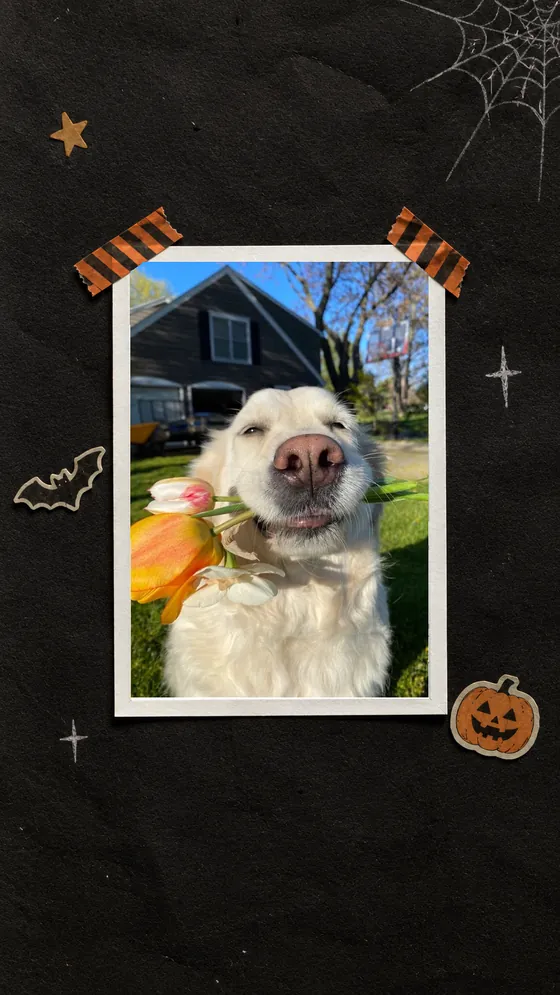
Halloween Tape frames a single shot, which suits a pair: Mario and Luigi, a ghost and a ghostbuster, a vampire and their snack. Two people fit comfortably if they stand close.
5. The group haunting
Everyone crowds in, everyone screams on three. Group shots are loud and chaotic by nature, and a black-and-white filter makes the chaos look like a vintage photograph instead of a blurry phone picture.
Decorating the strip after the shot
After the last shot, the booth opens the studio. Guests can add stickers and text, and the Dot Art tab has a little ghost drawn in Braille dots that suits the night. Keep text short — the party name and the date, like Monster Mash · October 31, reads well even when the strip is small on a phone.
Want a haunted strip without deciding anything? Pick Vintage Cuts: it is a four-cut strip that applies the Dark Room black-and-white look by itself, so guests just pose.
Getting the photos to your guests
Each strip downloads as a PNG straight to the laptop. The simplest way to share them at a party is to keep one shared album open — Google Photos or an iCloud shared album — and drop every strip into it as you go, then text the album link to the group chat at the end of the night. Nothing is uploaded to Roll Booth: the photos only exist on the laptop until you share them yourself.
If you want prints, a home inkjet on 4×6 photo paper is plenty. Every download carries a small rollbooth.com mark in the corner.
Friends who can't make it
Someone stuck at home, or in another city? The booth has a remote mode for two to four people in different places. In the layout chooser, tap Group booth under Shoot together, from anywhere and send the link it gives you. Everyone sees the same countdown, every camera snaps at zero, and the strip comes out with everyone in it, side by side.
Frequently Asked Questions
Is the Halloween photo booth really free?
Yes. Roll Booth is free with no account, no signup and no app. It runs in the browser on a laptop, phone or tablet, and the photos are processed on your own device.
How do I put the photo booth on my TV?
Connect the laptop to the TV with an HDMI cable and duplicate the screen (Win + P on Windows, System Settings → Displays → Mirror on a Mac), or cast the browser tab to a Chromecast or Apple TV. The booth keeps running on the laptop; the TV just shows it big.
What is the best filter for a dark Halloween party?
Noir or Night Vis. Both drop color, and with it the color noise a camera produces in a dim room, so they look deliberate in light that would make a color photo muddy. Add one colored lamp at face height and either will look great.
Can guests use their own phones instead?
Yes. The same booth opens in any phone browser, so a guest can open rollbooth.com and shoot their own strip. For a party, one shared laptop on a TV tends to draw a bigger crowd.
Can friends who are not at the party join in?
Yes, up to four people in total. Use Group booth in the layout chooser and send the link; everyone shoots on the same countdown and the strip combines all of you.
Are the photos uploaded anywhere?
No. Every photo is processed in the browser on the device taking it. It only leaves that device if you download it and share it yourself.
Want more? Read Halloween photo booth ideas that actually look creepy, or browse every party photo booth idea.