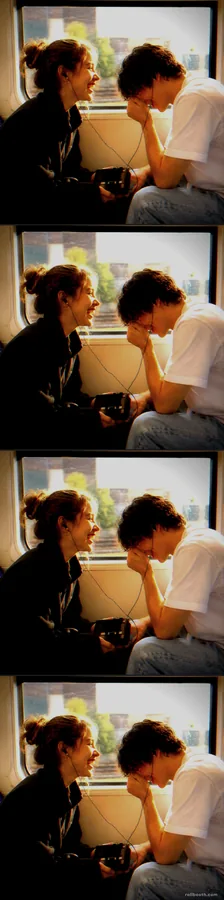
A booth made for the countdown
New Year's Eve is the one party where everyone is watching the clock, and the booth can lean into that. Y2K Cuts stamps every shot with a camcorder-style timecode, so a strip taken at 11:58 looks like a piece of home video from the night. It is also forgiving in a dim room: the grain and glow are part of the look, so low light reads as atmosphere instead of a mistake.
Because Y2K Cuts owns its look, the filter tray is replaced by a small badge naming it while you shoot. If you want to choose a filter yourself, switch to the Four Cuts or Cinema Strip preset instead.
How to set it up at your party
- Find the spot near the action. A booth in a back room gets forgotten. Put it where people pass on the way to the drinks, with a wall behind it — a sequin curtain, a foil fringe backdrop or just a string of lights.
- Open the booth on a laptop. Use the button on this page; the Y2K Cuts frame is already selected. Allow the camera when the browser asks.
- Mirror it to the TV. Connect with HDMI and duplicate the display (Win + P on Windows, System Settings → Displays → Mirror on a Mac), or cast the tab to a Chromecast or Apple TV. If the TV is also showing the ball drop, use a second screen or a projector for the booth.
- Raise the laptop to face height. A few books under it. Cameras looking up from a coffee table are why party photos look bad.
- Light the faces. Party lights are usually behind people. Put one lamp or a small LED panel beside the laptop pointing at the guests.
- Set out props. Next-year glasses, a tiara, noisemakers, a few party hats. The glasses alone do most of the work.
- Tape up one line of instructions. Tap the shutter, then four poses — there is a countdown before each one.
New Year's Eve photo booth ideas
The four-shot countdown
Four shots, four numbers: guests hold up three, two and one fingers for the first three photos and go wild on the fourth. It turns the strip into the countdown itself, and it works any time of night.
The midnight strip
Two minutes before midnight, get the group in front of the booth and start the strip. The fourth shot lands close to the new year. It is the one photo from the night everyone will want.
Resolutions on a card
Put index cards and markers by the booth. Everyone writes a resolution and holds it up in the first shot, then does the opposite in the second — the gym resolution with a slice of pizza. You end the night with a record of every promise.
Before and after
Take one strip when people arrive, all polished, and another at 1 a.m. Put them side by side in the shared album the next morning.
Time capsule
Save the strips into a folder named for the year. Next December, open it at the start of the party. It is surprisingly moving, and it gives you a tradition for free.
Choosing your New Year's look
- Y2K Cuts — the preset. Camcorder timecode and early-digital glow, four shots.
- Four Cuts with Flash — bright, contrasty, disposable-camera party photos.
- Cinema Strip with Noir — wide black-and-white frames for black tie.
- Four Cuts with Y2K Chrome — a cool, silvery chrome sheen that suits sequins and metallic backdrops.
You can switch frames and filters in the booth before you start; the preset is only a starting point. For more ideas on the retro digital look, see the Y2K photo booth aesthetic.
Sharing the strips after midnight
Every strip downloads to the laptop as a PNG. The low-effort way to share: keep one shared album open (Google Photos or iCloud), drop strips in through the night, and post the link in the group chat on New Year's Day. Nothing is uploaded to Roll Booth, so the photos only go where you put them. Downloads carry a small rollbooth.com mark in the corner.
Friends in another time zone
If part of the group is celebrating somewhere else, Group booth puts up to four people in different places into the same strip. Start it from the layout chooser under Shoot together, from anywhere, send the link, and everyone poses on one countdown. It works best when one person hosts and the others join from their phones or laptops.
Frequently Asked Questions
Is there a free New Year's Eve photo booth online?
Yes. Roll Booth is free with no app and no signup. This page opens it with the Y2K Cuts strip already picked, and it runs on a laptop, phone or tablet.
How do I run a photo booth on my TV for New Year's?
Run the booth on a laptop and mirror the screen to the TV with an HDMI cable, a Chromecast or an Apple TV. Put the laptop at face height and one lamp next to it pointing at the guests.
Why can't I change the filter on Y2K Cuts?
Y2K Cuts has its look built in, so the booth shows a badge naming it instead of the filter tray. To choose a filter, pick Four Cuts or Cinema Strip instead.
How many photos are in a strip?
Y2K Cuts, Four Cuts and Cinema Strip each take four photos. One tap starts the strip and a three-second countdown runs before every shot.
Are the photos private?
Yes. Photos are processed on the device taking them and are never uploaded to Roll Booth. You decide where they go.
Want more? Read photo booth ideas for any event, or browse every party photo booth idea.